'%3e%3cpath%20fill='%23FD7419'%20d='M650%20442%20L868%20526%20H1180%20V970%20H650%20Z'/%3e%3cpath%20fill='%23C86020'%20d='M981%20716%20L1180%20774%20V970%20H650%20V784%20H908%20C954%20784%20990%20768%20990%20738%20C990%20729%20987%20722%20981%20716%20Z'/%3e%3cpath%20fill='%23FCB58D'%20d='M650%20700%20H908%20V970%20H650%20Z'/%3e%3c/g%3e%3c/svg%3e)
Knowledge base
Meters & utilities · 3 min
Add a meter and reading periods
Serial number, starting reading, unit price and recurring reading windows.
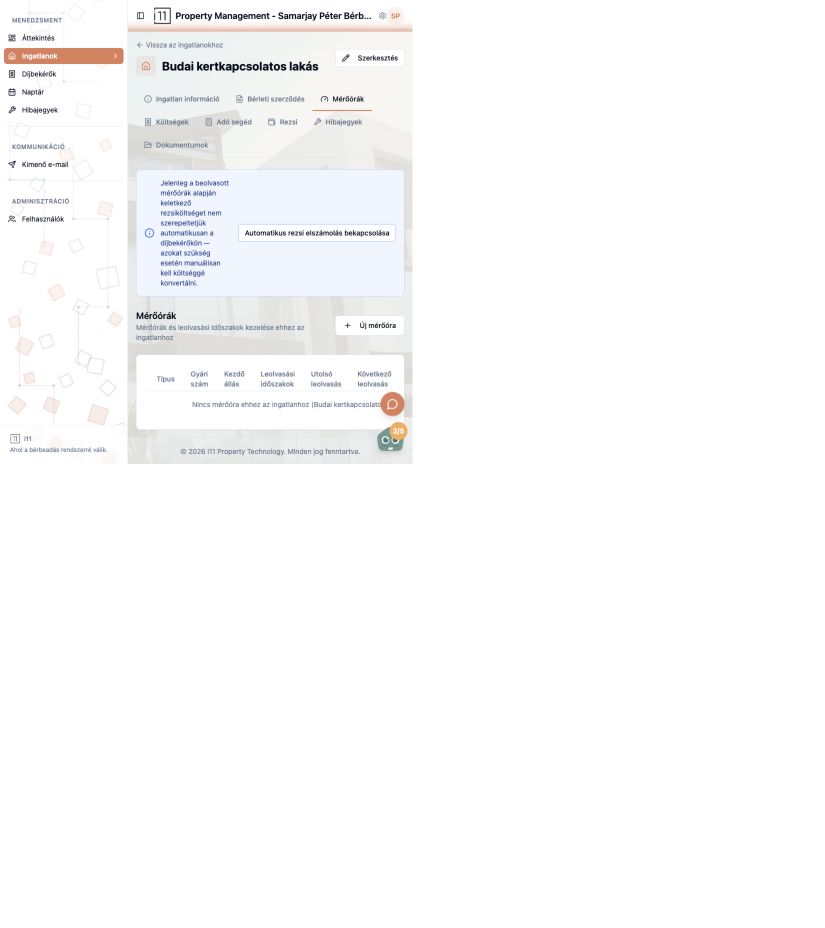
Add a meter on the property's Mérőórák (Meters) tab with Új mérőóra.
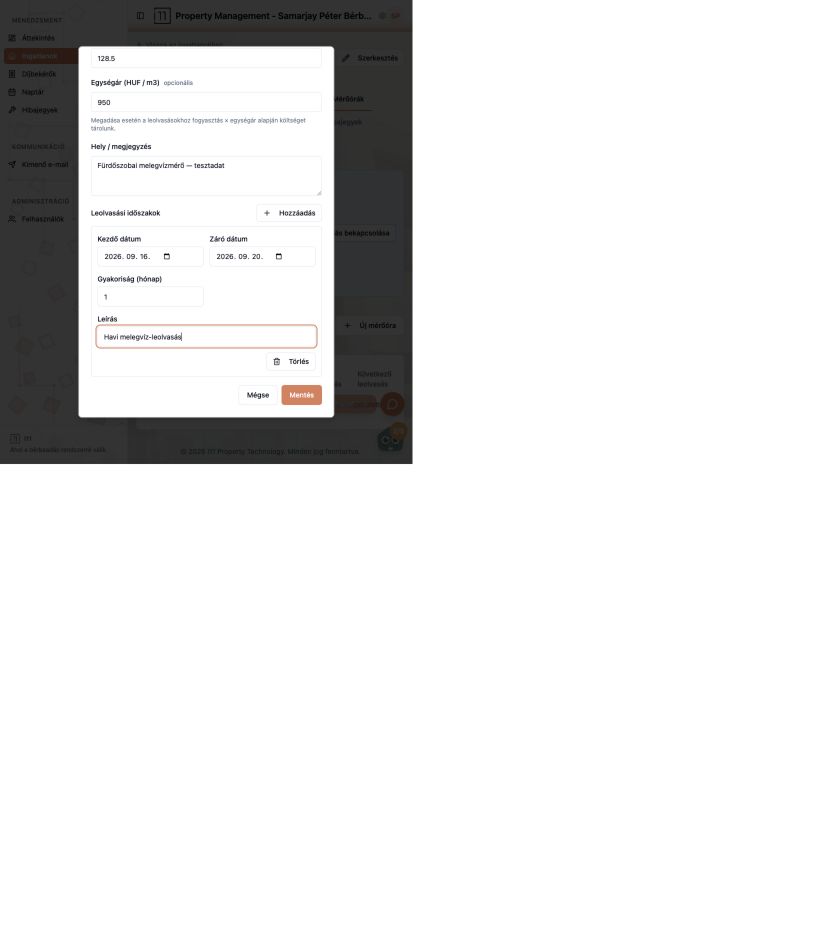
Details
- Type (e.g. hot water), serial number and starting reading.
- Unit price (e.g. HUF/m³, optional): if set, each reading's cost is calculated as consumption × unit price.
- Location / note so you know which meter it is.
Reading periods
Use Hozzáadás (Add) to set a period: start and end date, frequency in months and a description (e.g. “Monthly hot water reading”). This tells you when the next reading is due.
If the meter doesn't appear after saving
The table shows type, serial number, starting value, periods, last and next reading. If it stays empty, check the required fields and try again.
Ask about this article
Still have a question? Send it to us and we will receive it together with the article reference.
Start using RentalSys for free
Put the guide into practice with your own property.
- No credit card required
- Free tier included
- 3-minute setup