'%3e%3cpath%20fill='%23FD7419'%20d='M650%20442%20L868%20526%20H1180%20V970%20H650%20Z'/%3e%3cpath%20fill='%23C86020'%20d='M981%20716%20L1180%20774%20V970%20H650%20V784%20H908%20C954%20784%20990%20768%20990%20738%20C990%20729%20987%20722%20981%20716%20Z'/%3e%3cpath%20fill='%23FCB58D'%20d='M650%20700%20H908%20V970%20H650%20Z'/%3e%3c/g%3e%3c/svg%3e)
Getting started · 4 min
Using the Overview dashboard
Income, payment requests, rented properties, issues and the completion checklist on one screen.
Áttekintés (Overview) is the first item in the left menu. It gathers the key numbers and to-dos in one place.
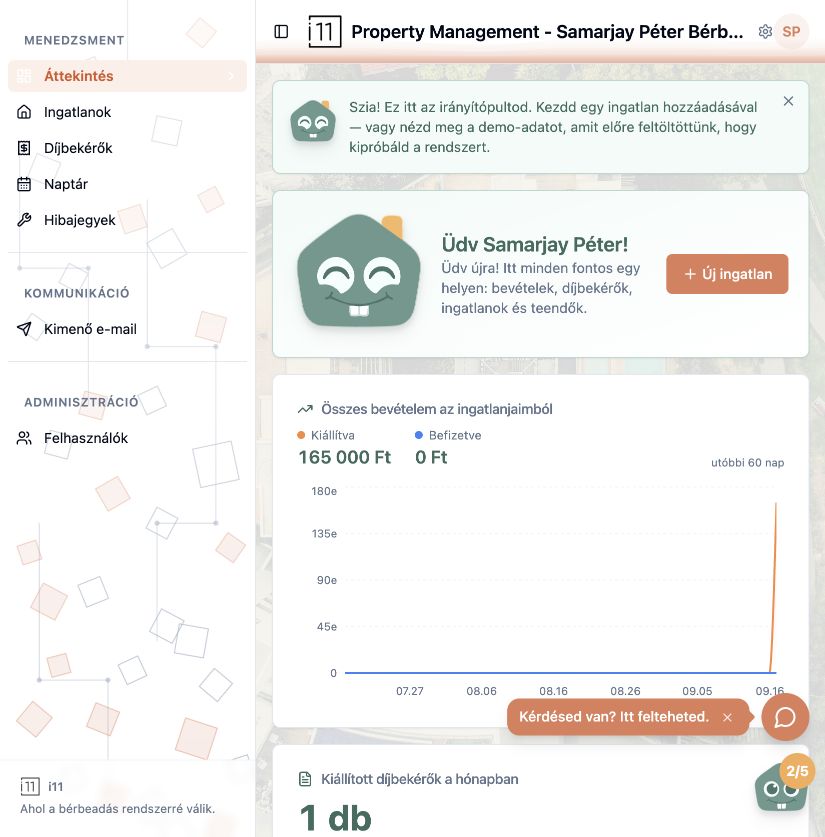
What the cards show
- Total income from my properties: issued and paid amounts for the last 60 days, as a chart.
- Payment requests issued this month: count and total, including overdue and unpaid items.
- Rented properties: how many properties have an active lease.
- Upcoming calendar events and Open issues: what needs attention next.
- My properties: one card per property; the Új ingatlan hozzáadása tile adds a new one.
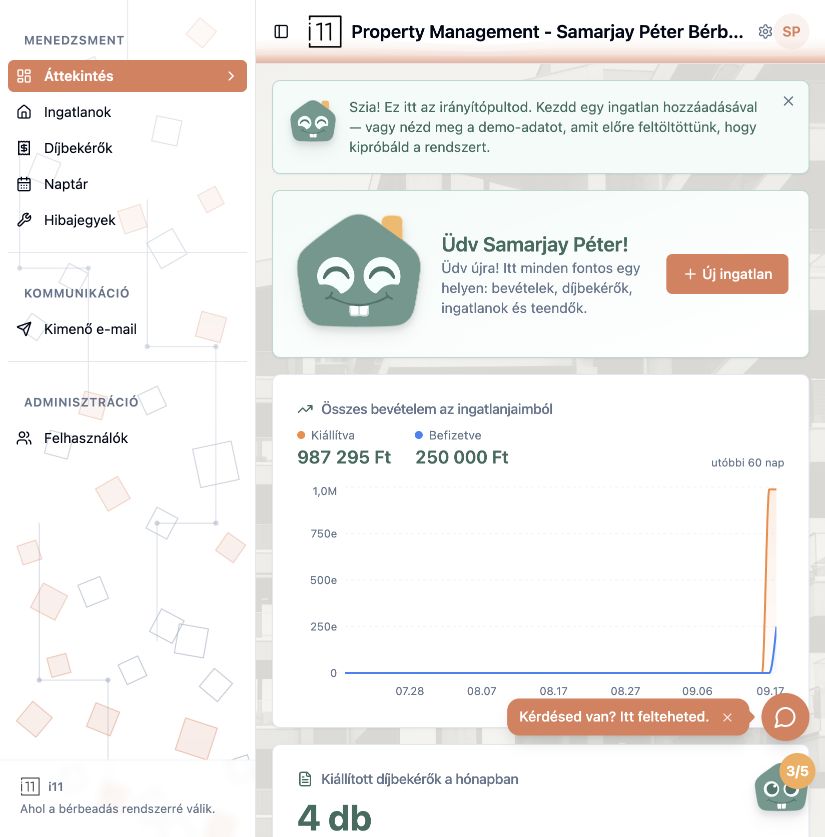
The demo property
After registering you also see a pre-filled demo property to try features safely. Its payment requests are tagged DEMO.
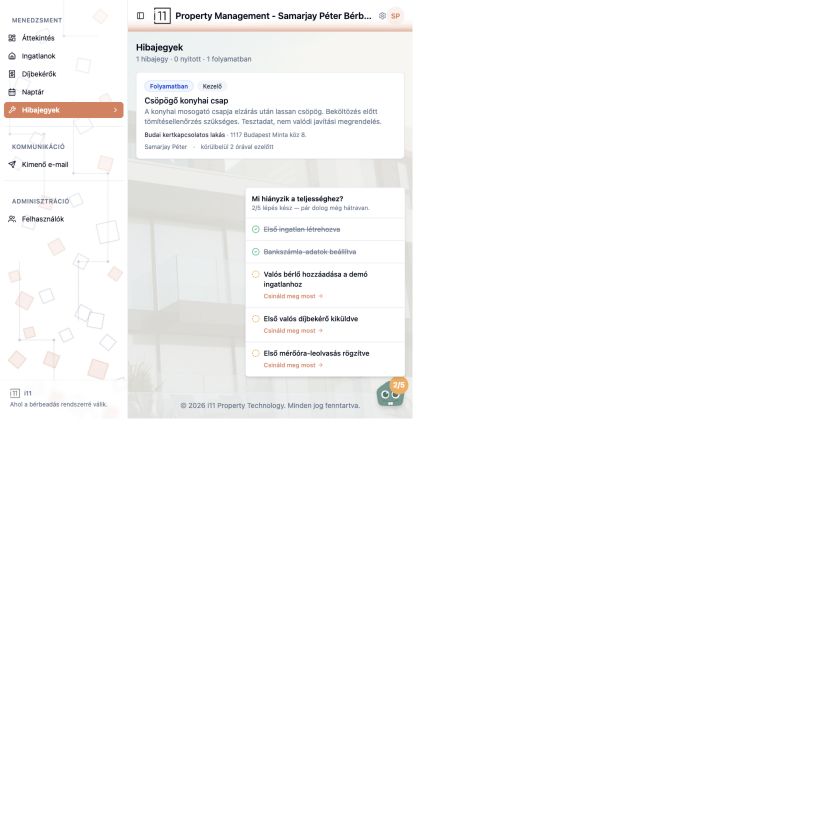
What's missing for completion?
The small character in the bottom-right corner shows your progress (e.g. 2/5). Click it for the checklist: first property, bank details, a real tenant, first payment request sent, first meter reading. Each Csináld meg most (Do it now) link opens the right screen.
Ask about this article
Still have a question? Send it to us and we will receive it together with the article reference.
Start using RentalSys for free
Put the guide into practice with your own property.
- No credit card required
- Free tier included
- 3-minute setup