'%3e%3cpath%20fill='%23FD7419'%20d='M650%20442%20L868%20526%20H1180%20V970%20H650%20Z'/%3e%3cpath%20fill='%23C86020'%20d='M981%20716%20L1180%20774%20V970%20H650%20V784%20H908%20C954%20784%20990%20768%20990%20738%20C990%20729%20987%20722%20981%20716%20Z'/%3e%3cpath%20fill='%23FCB58D'%20d='M650%20700%20H908%20V970%20H650%20Z'/%3e%3c/g%3e%3c/svg%3e)
Knowledge base
Documents & calendar · 3 min
Documents and categories
Categories with visibility, uploading, downloading and deleting files.
Organise files into categories on the property's Dokumentumok (Documents) tab.
Creating a category
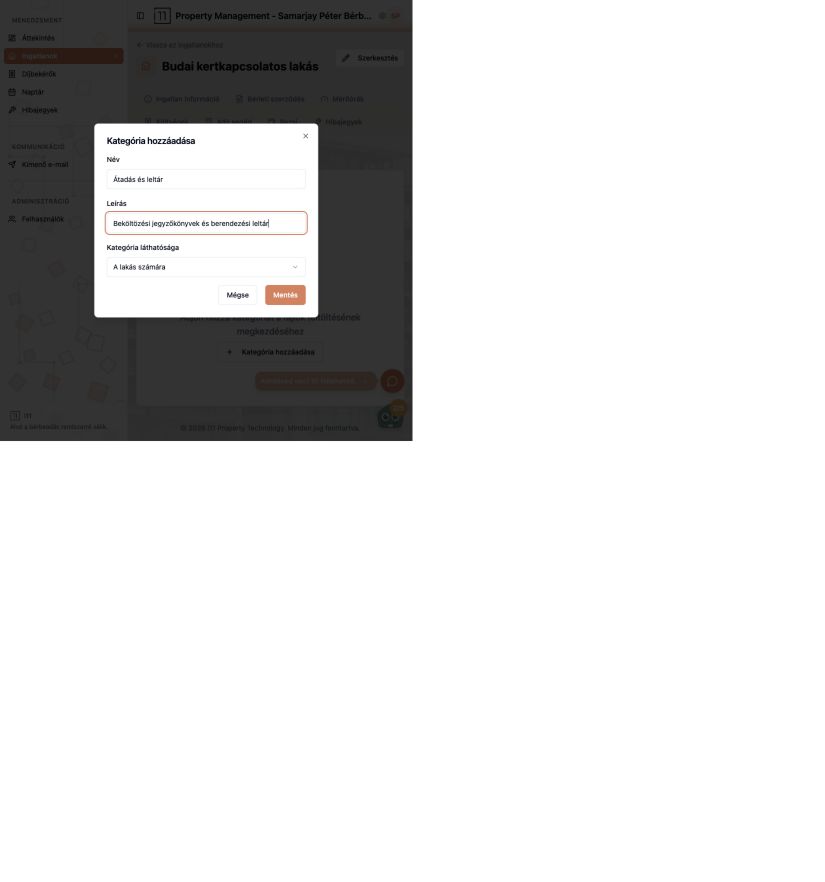
Use Kategória hozzáadása to set a name (e.g. “Handover and inventory”), description and visibility (e.g. A lakás számára, for the flat). Visibility decides who can see the documents.
Uploading a file
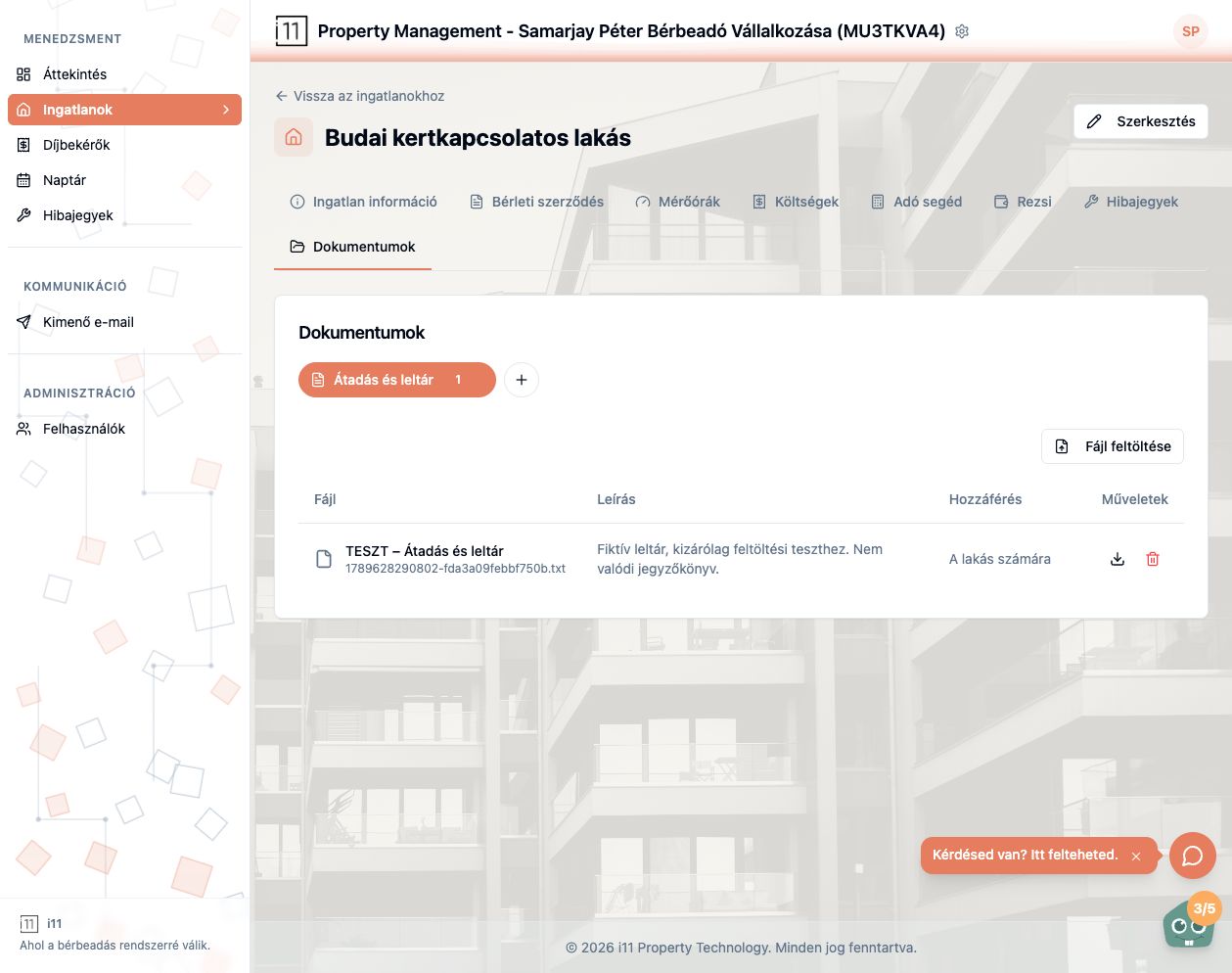
Pick the category, press Fájl feltöltése (Upload file) and add a description. The list shows file, description and access; download or delete from the actions.
- Lease documents can also be uploaded under Szerződéses dokumentumok on the Lease tab.
Ask about this article
Still have a question? Send it to us and we will receive it together with the article reference.
Start using RentalSys for free
Put the guide into practice with your own property.
- No credit card required
- Free tier included
- 3-minute setup