
Getting started · 4 min
First steps after registering
The five-step onboarding: name, bank account, tax details, utility settlement and profile photo.
On first sign-in the Első lépések (First steps) window creates your landlord profile with five short questions. Everything can be changed later, and Később (Later) lets you skip at any time.
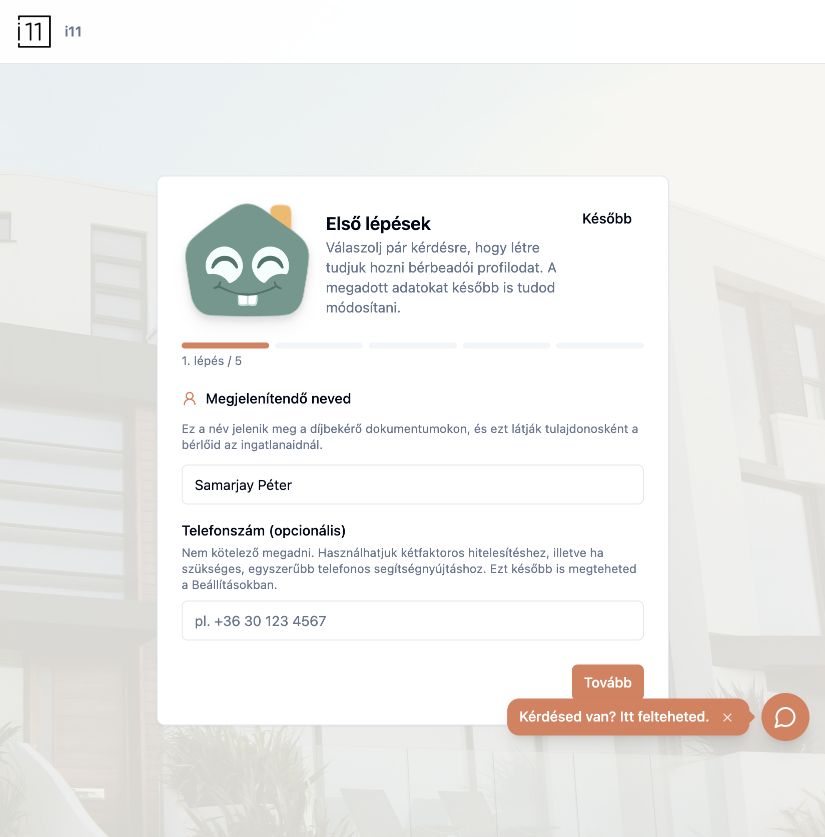
1. Display name and phone
Your display name appears on payment request documents and is what tenants see as the owner. The phone number is optional and can be used for two-factor authentication and phone support.
2. Bank details (optional)
Bank name, IBAN and account holder can appear on payment requests sent to tenants. You can add them later in the organization settings.
3. Tax number and address (optional)
Tax number, street, postcode, city and country also appear on payment request documents.
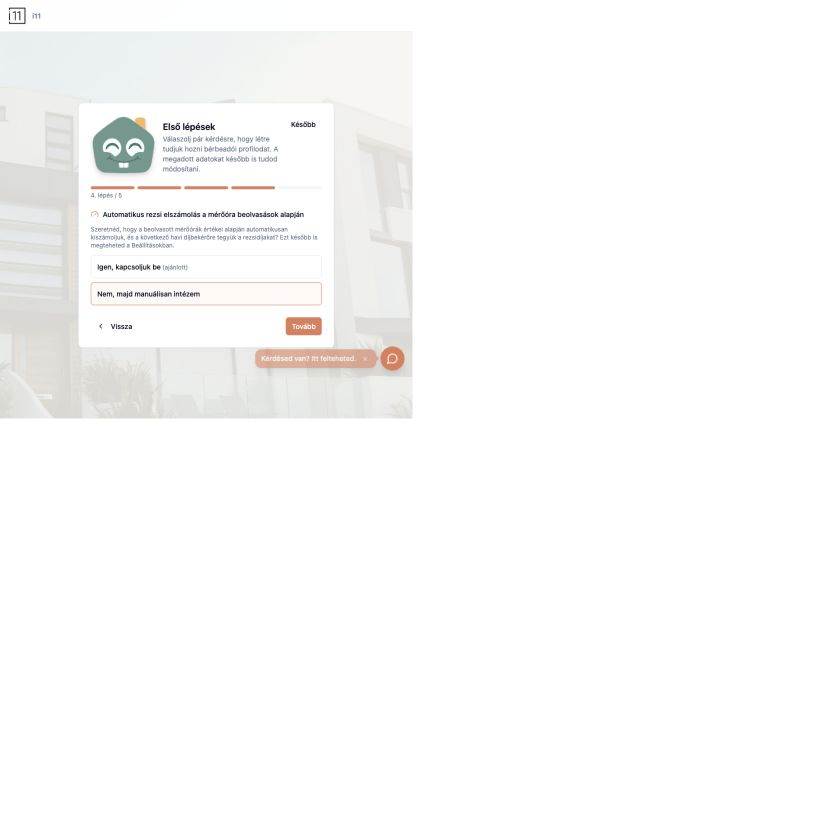
4. Automatic utility settlement
Choose whether meter readings should be converted into utility costs automatically and added to the next monthly payment request. The recommended option is Igen, kapcsoljuk be (Yes, turn it on); otherwise you convert costs manually.
5. Profile photo and finish
Optionally upload a profile photo, then press Befejezés (Finish) to reach the Overview page.
- Use the Kérdésed van? Itt felteheted. button in the bottom-right corner to chat with support at any time.
Ask about this article
Still have a question? Send it to us and we will receive it together with the article reference.
Start using RentalSys for free
Put the guide into practice with your own property.
- No credit card required
- Free tier included
- 3-minute setup