'%3e%3cpath%20fill='%23FD7419'%20d='M650%20442%20L868%20526%20H1180%20V970%20H650%20Z'/%3e%3cpath%20fill='%23C86020'%20d='M981%20716%20L1180%20774%20V970%20H650%20V784%20H908%20C954%20784%20990%20768%20990%20738%20C990%20729%20987%20722%20981%20716%20Z'/%3e%3cpath%20fill='%23FCB58D'%20d='M650%20700%20H908%20V970%20H650%20Z'/%3e%3c/g%3e%3c/svg%3e)
Knowledge base
Tenants & leases · 3 min
Invite a tenant
What the tenant receives and how to check the invitation was sent.
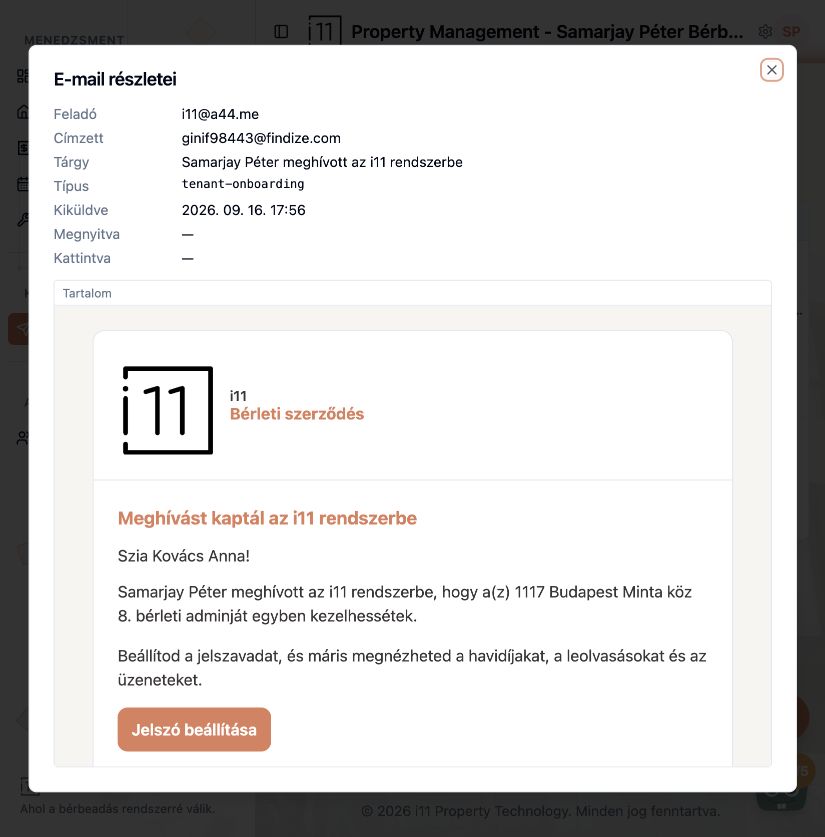
When you add a tenant to a property or lease, RentalSys automatically sends them an invitation email.
What the invitation contains
The tenant learns who invited them and for which property. The Jelszó beállítása (Set password) button creates their access, after which they can see monthly charges, readings and messages.
Checking it was sent
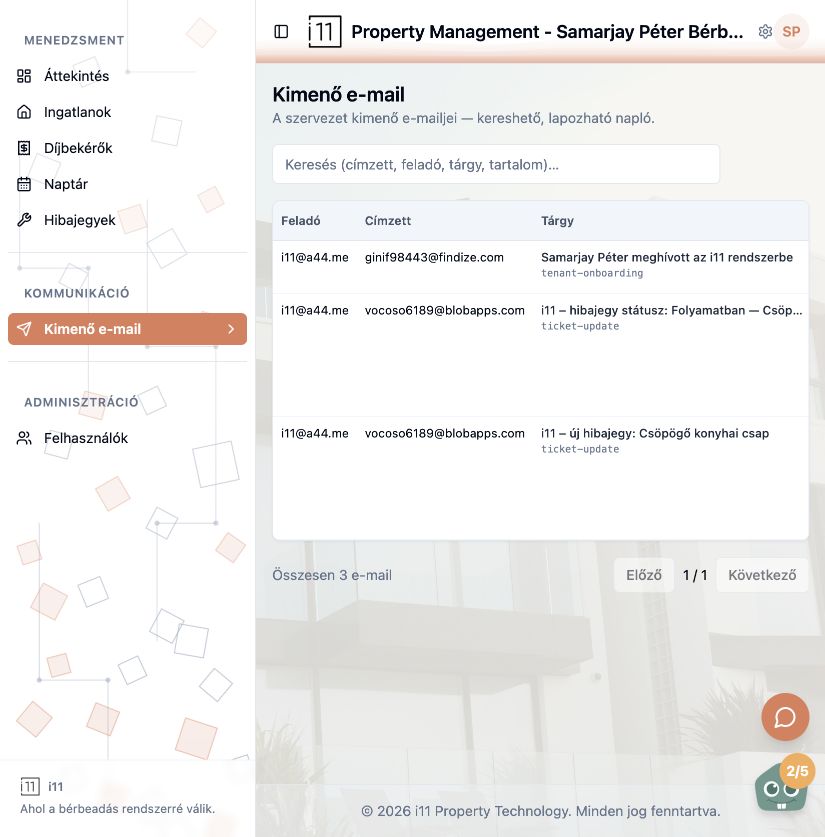
Open Kimenő e-mail (Outgoing email). The invitation appears with type tenant-onboarding; open it to see when it was sent, whether it was opened, and the full content.
- You choose the tenant's communication language when creating the tenant.
Ask about this article
Still have a question? Send it to us and we will receive it together with the article reference.
Start using RentalSys for free
Put the guide into practice with your own property.
- No credit card required
- Free tier included
- 3-minute setup