'%3e%3cpath%20fill='%23FD7419'%20d='M650%20442%20L868%20526%20H1180%20V970%20H650%20Z'/%3e%3cpath%20fill='%23C86020'%20d='M981%20716%20L1180%20774%20V970%20H650%20V784%20H908%20C954%20784%20990%20768%20990%20738%20C990%20729%20987%20722%20981%20716%20Z'/%3e%3cpath%20fill='%23FCB58D'%20d='M650%20700%20H908%20V970%20H650%20Z'/%3e%3c/g%3e%3c/svg%3e)
Maintenance · 4 min
Manage an issue from report to repair
Reporting, visibility, assignment, statuses and notifications.
Create an issue on the property's Hibajegyek (Issues) tab with Új hibajegy. All issues across properties are under Hibajegyek in the left menu.
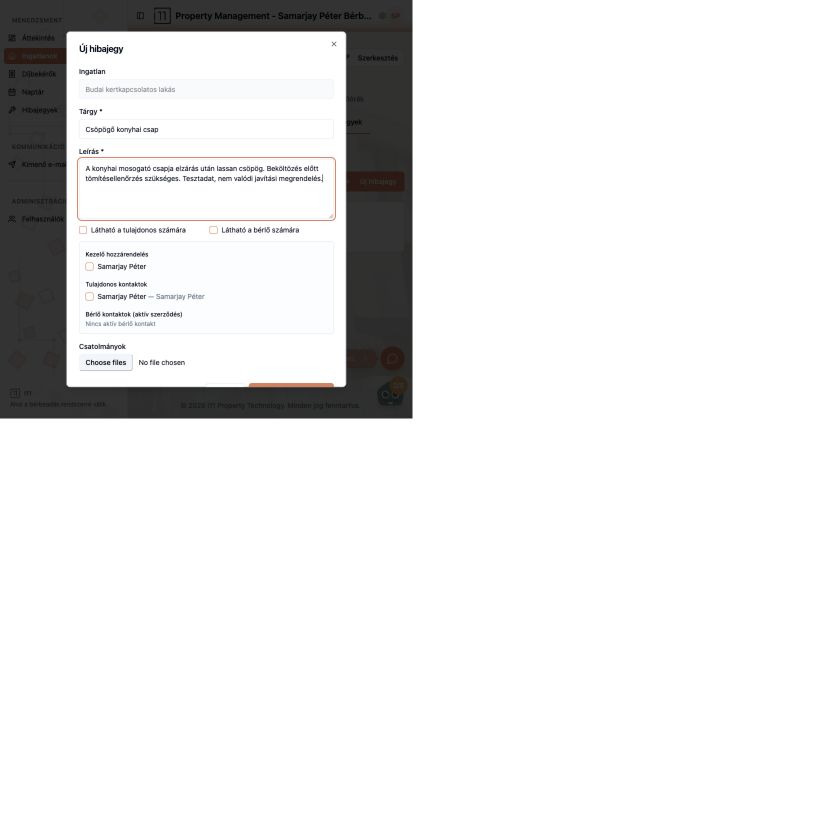
Reporting
- Enter a subject (e.g. “Dripping kitchen tap”) and a detailed description.
- Decide whether the owner and/or tenant can see it.
- Assign a handler and choose which owner and tenant contacts are notified (tenant contacts require an active lease).
- Attach photos or documents.
Issue details
The open issue shows who reported it and when; you can upload attachments, change assignees, and share it by email (e.g. with a plumber) under Külső megosztások. Move it forward with Folyamatban (In progress).
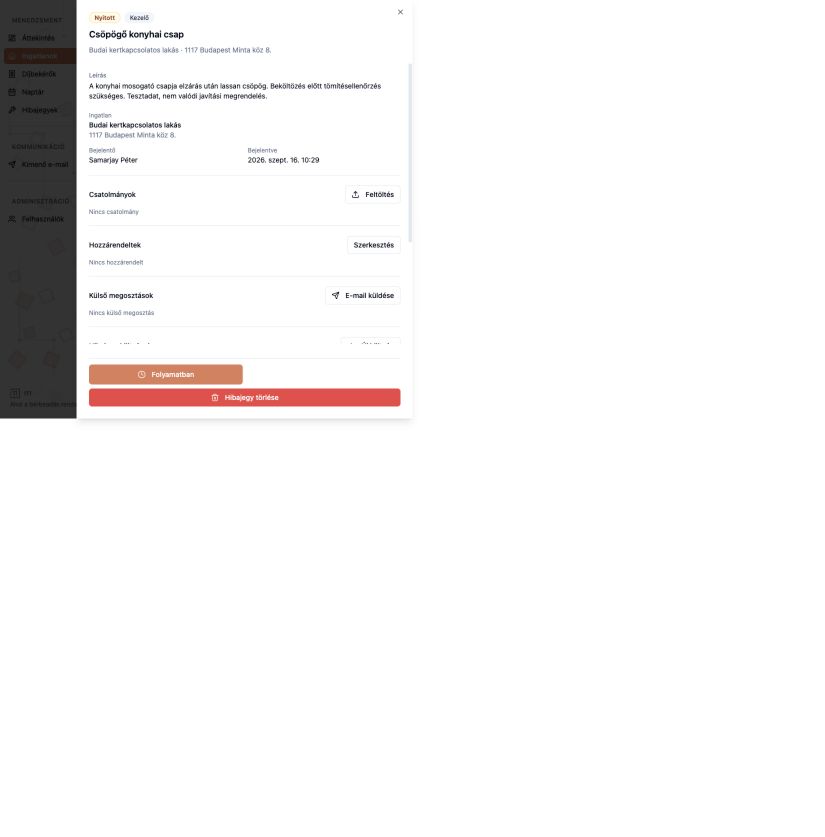
Statuses and notifications
The list header shows how many issues are open and in progress. Every new issue and status change (e.g. Open → In progress) sends an automatic email, which you can find in the Kimenő e-mail log.
Ask about this article
Still have a question? Send it to us and we will receive it together with the article reference.
Start using RentalSys for free
Put the guide into practice with your own property.
- No credit card required
- Free tier included
- 3-minute setup