'%3e%3cpath%20fill='%23FD7419'%20d='M650%20442%20L868%20526%20H1180%20V970%20H650%20Z'/%3e%3cpath%20fill='%23C86020'%20d='M981%20716%20L1180%20774%20V970%20H650%20V784%20H908%20C954%20784%20990%20768%20990%20738%20C990%20729%20987%20722%20981%20716%20Z'/%3e%3cpath%20fill='%23FCB58D'%20d='M650%20700%20H908%20V970%20H650%20Z'/%3e%3c/g%3e%3c/svg%3e)
Knowledge base
Meters & utilities · 3 min
Record a meter reading with a photo
Ad-hoc reading with photo; consumption and cost calculated automatically.
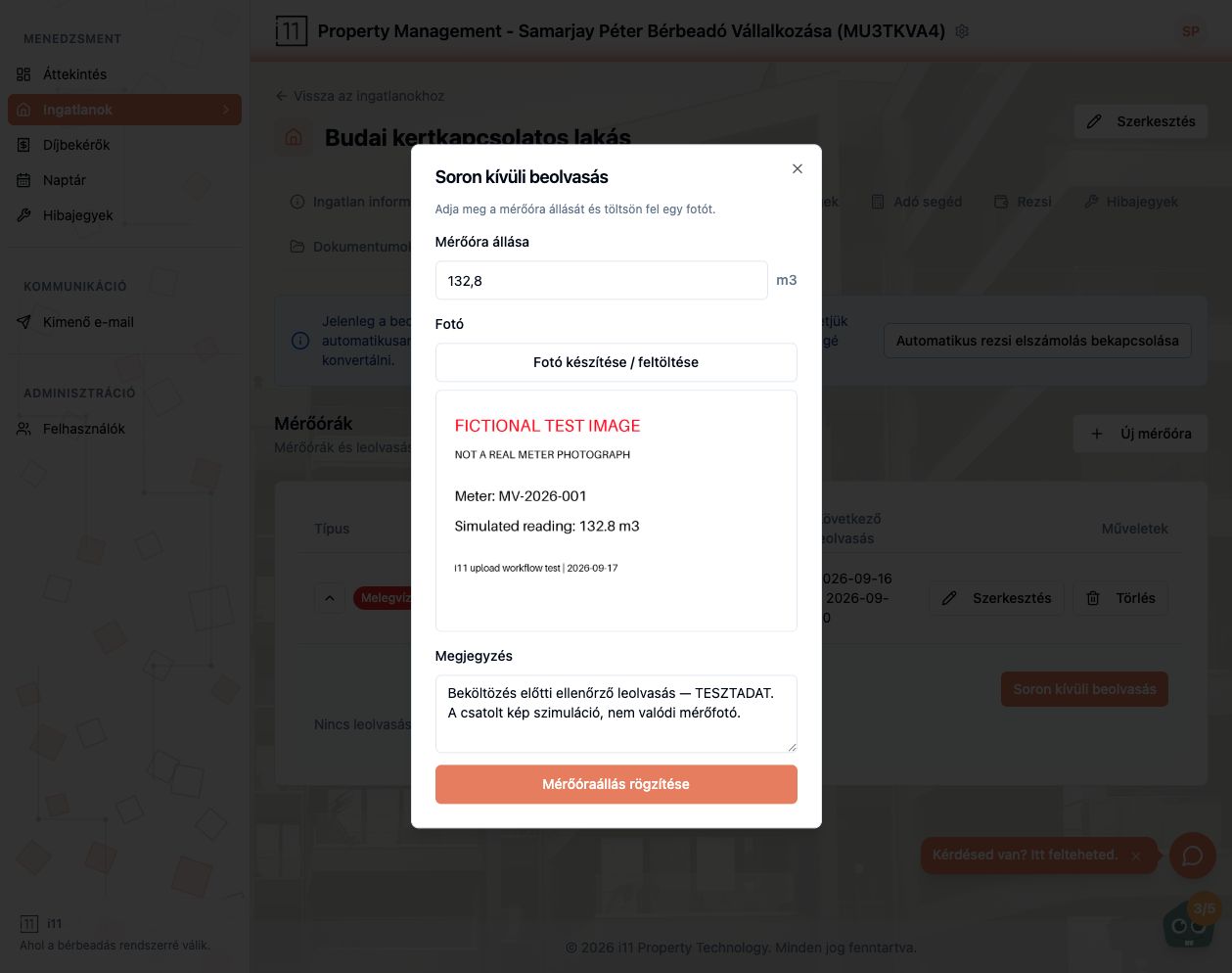
Record a reading by expanding the meter row and pressing Soron kívüli beolvasás (Ad-hoc reading).
Steps
- Enter the meter value.
- Attach a clear photo with Fotó készítése / feltöltése – the photo is required.
- Add a note (e.g. “Check reading before move-in”) and press Mérőóraállás rögzítése (Record reading).
The result
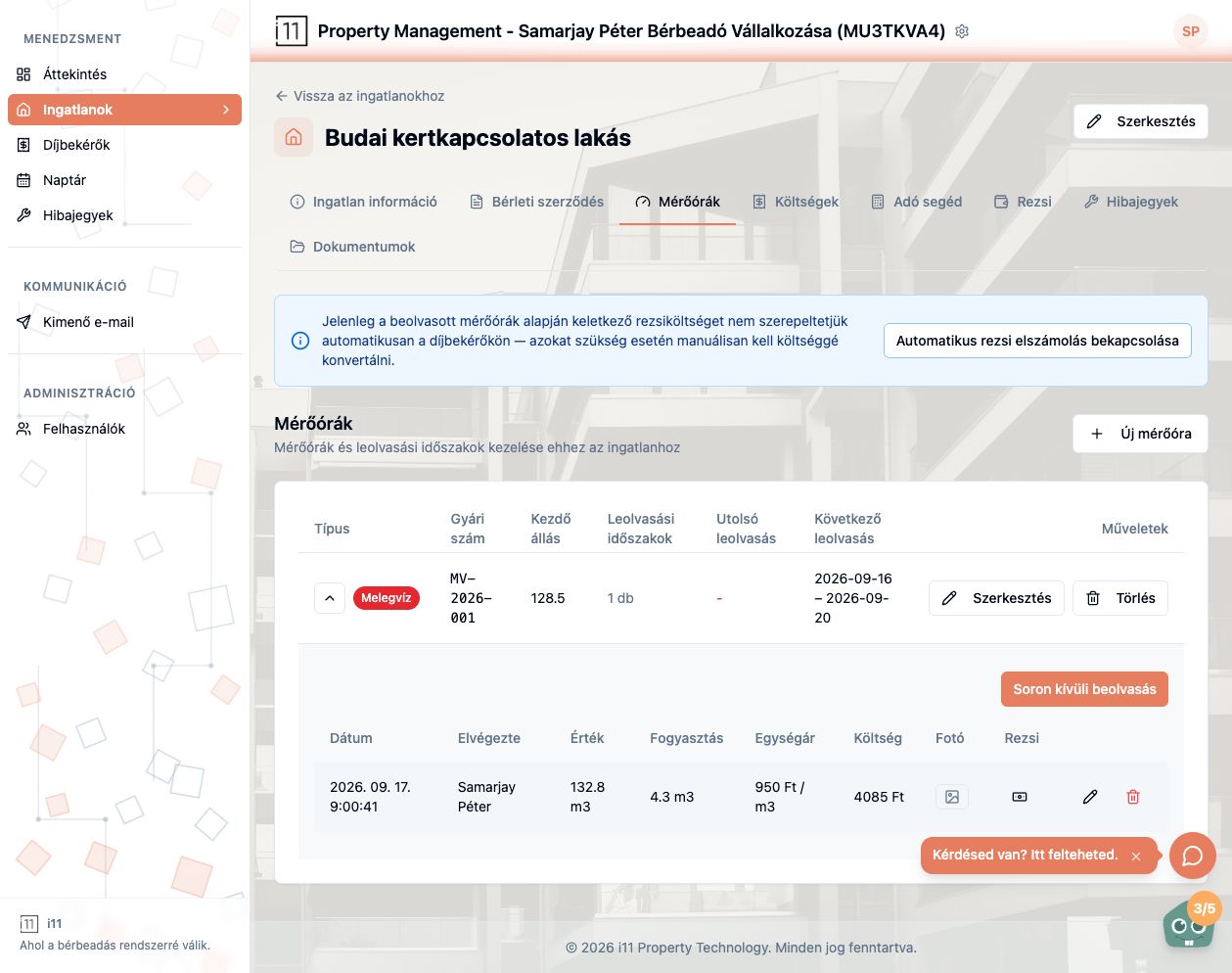
The reading appears under the meter with date, who recorded it, value, consumption, unit price and cost; the photo opens with one click.
Ask about this article
Still have a question? Send it to us and we will receive it together with the article reference.
Start using RentalSys for free
Put the guide into practice with your own property.
- No credit card required
- Free tier included
- 3-minute setup