'%3e%3cpath%20fill='%23FD7419'%20d='M650%20442%20L868%20526%20H1180%20V970%20H650%20Z'/%3e%3cpath%20fill='%23C86020'%20d='M981%20716%20L1180%20774%20V970%20H650%20V784%20H908%20C954%20784%20990%20768%20990%20738%20C990%20729%20987%20722%20981%20716%20Z'/%3e%3cpath%20fill='%23FCB58D'%20d='M650%20700%20H908%20V970%20H650%20Z'/%3e%3c/g%3e%3c/svg%3e)
Payment requests · 4 min
The payment request list, filters and PDF
Search, sending and payment status, overdue items, PDF preview.
Díjbekérők (Payment requests) lists every request across all your properties.
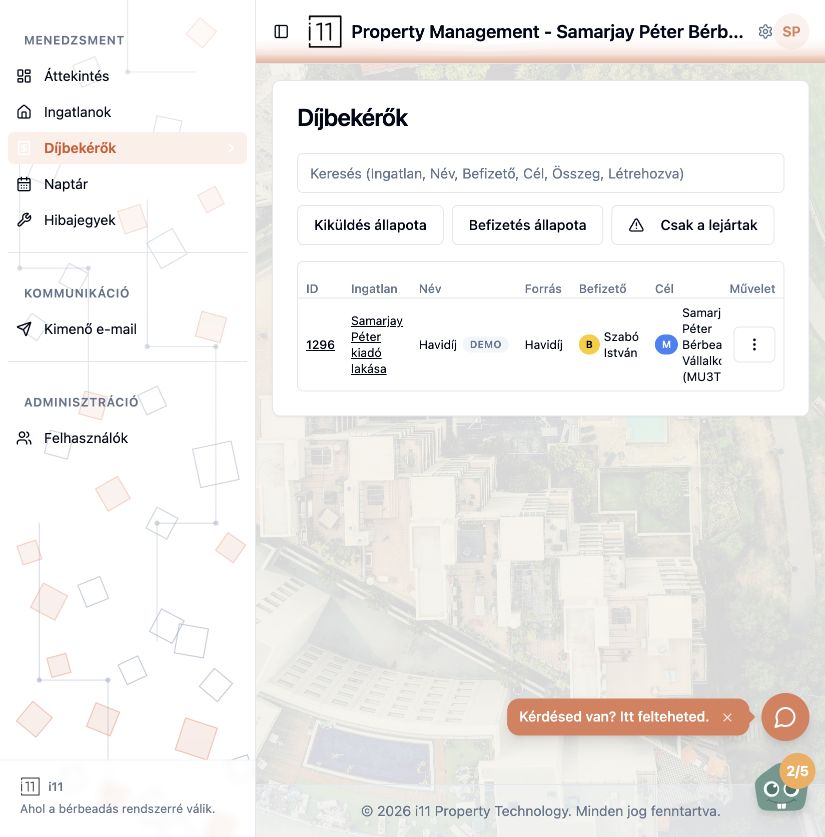
Search and filters
Search by property, name, payer, recipient, amount or creation date. Filter with Kiküldés állapota (sending status) and Befizetés állapota (payment status); Csak a lejártak shows only overdue items.
Columns
Each row shows ID, property, request name, source (rule or one-off), payer and recipient. The Művelet menu (three dots) lets you open, edit or confirm payment.
PDF preview
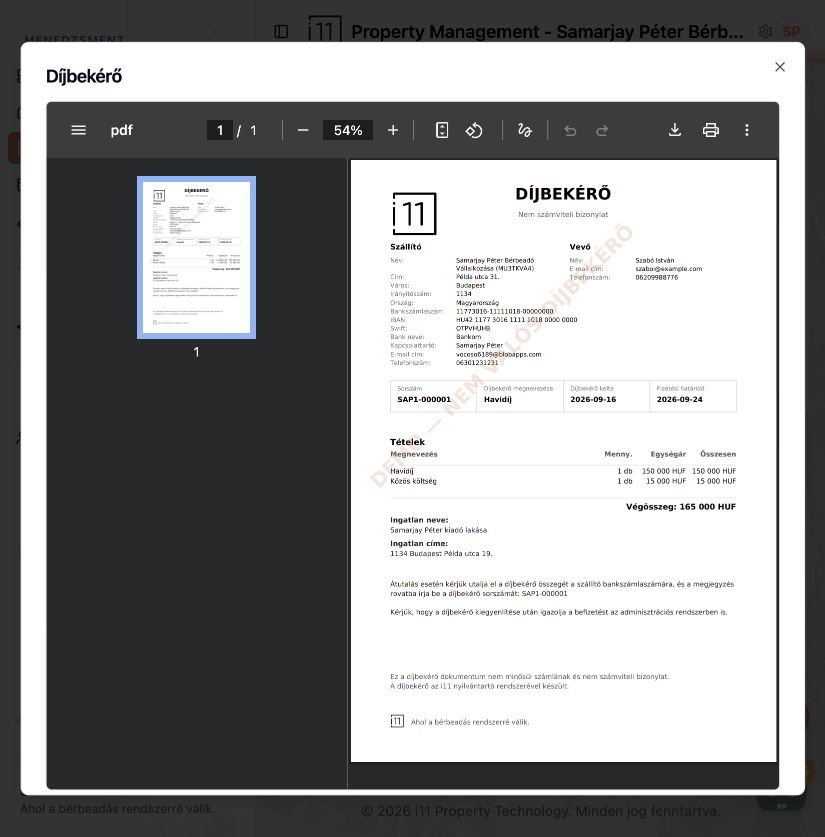
Each request opens as a PDF with supplier and customer details, serial number, issue and due dates, line items, total and the transfer reference. You can download and print it. A payment request is not an invoice or accounting document.
The email sent
The tenant receives the request by email with the property address, name, date, total and due date. Find it in Kimenő e-mail with type payment-request.
Ask about this article
Still have a question? Send it to us and we will receive it together with the article reference.
Start using RentalSys for free
Put the guide into practice with your own property.
- No credit card required
- Free tier included
- 3-minute setup