
Properties · 5 min
Add your first property
The New property wizard: details, owner, tenant, costs, review.
Add a property from Ingatlanok (Properties) or with + Új ingatlan on the Overview. The wizard guides you through a few steps; tenant and costs are optional.
1. Property details
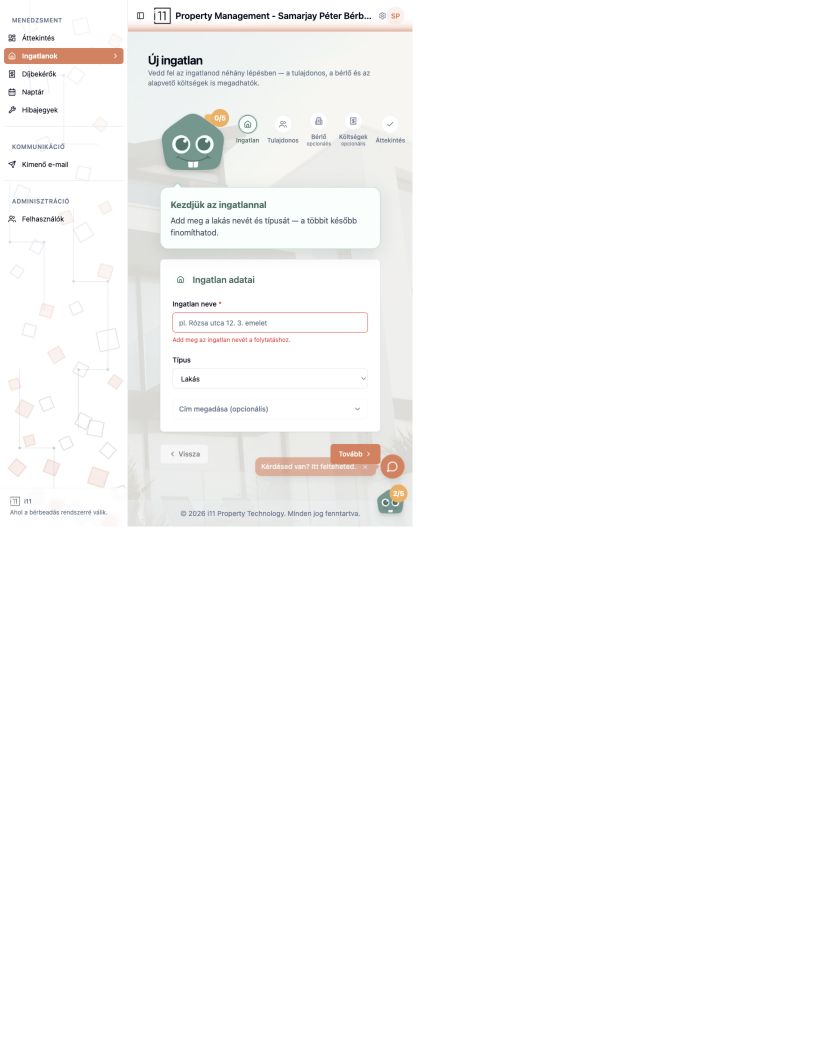
Enter the property name (required, e.g. “12 Rose Street, 3rd floor”) and type. Open Cím megadása (opcionális) to add country, county, city, postcode, street, floor, door and land registry number. If the name is missing, you are warned before continuing.
2. Owner
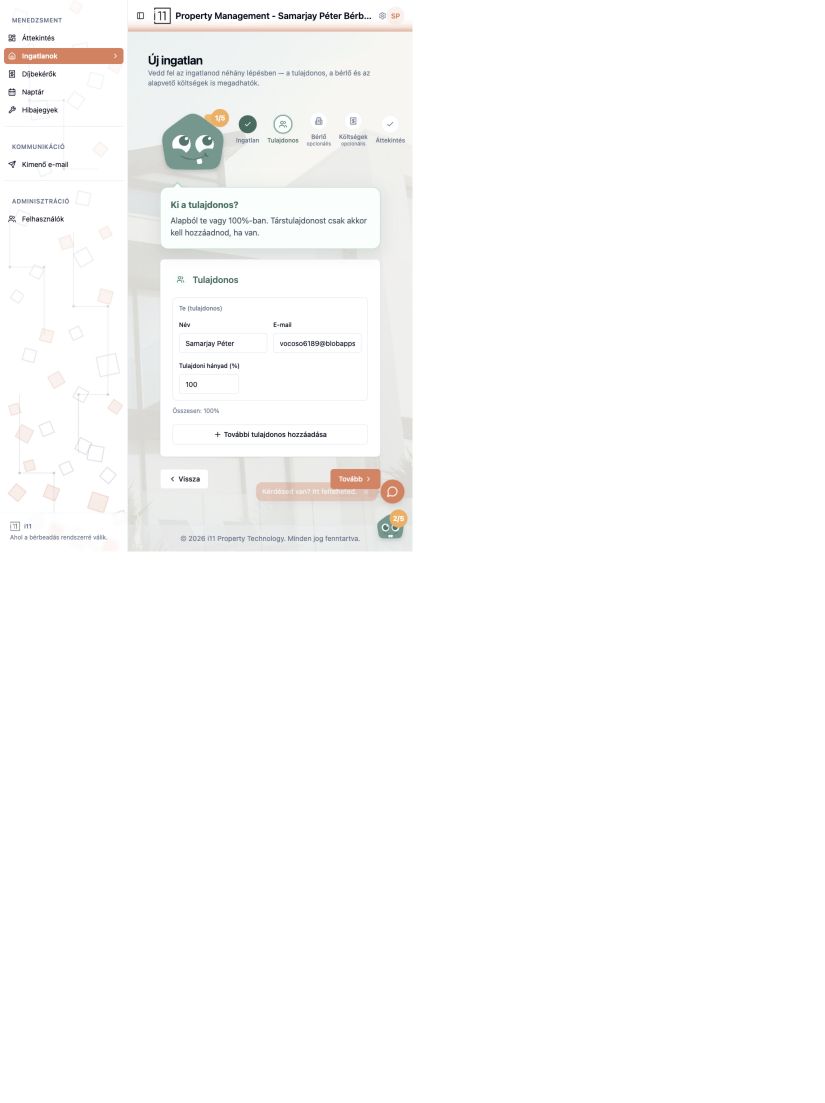
By default you are the 100% owner. Add co-owners with További tulajdonos hozzáadása; shares must total 100%.
3. Tenant (optional)
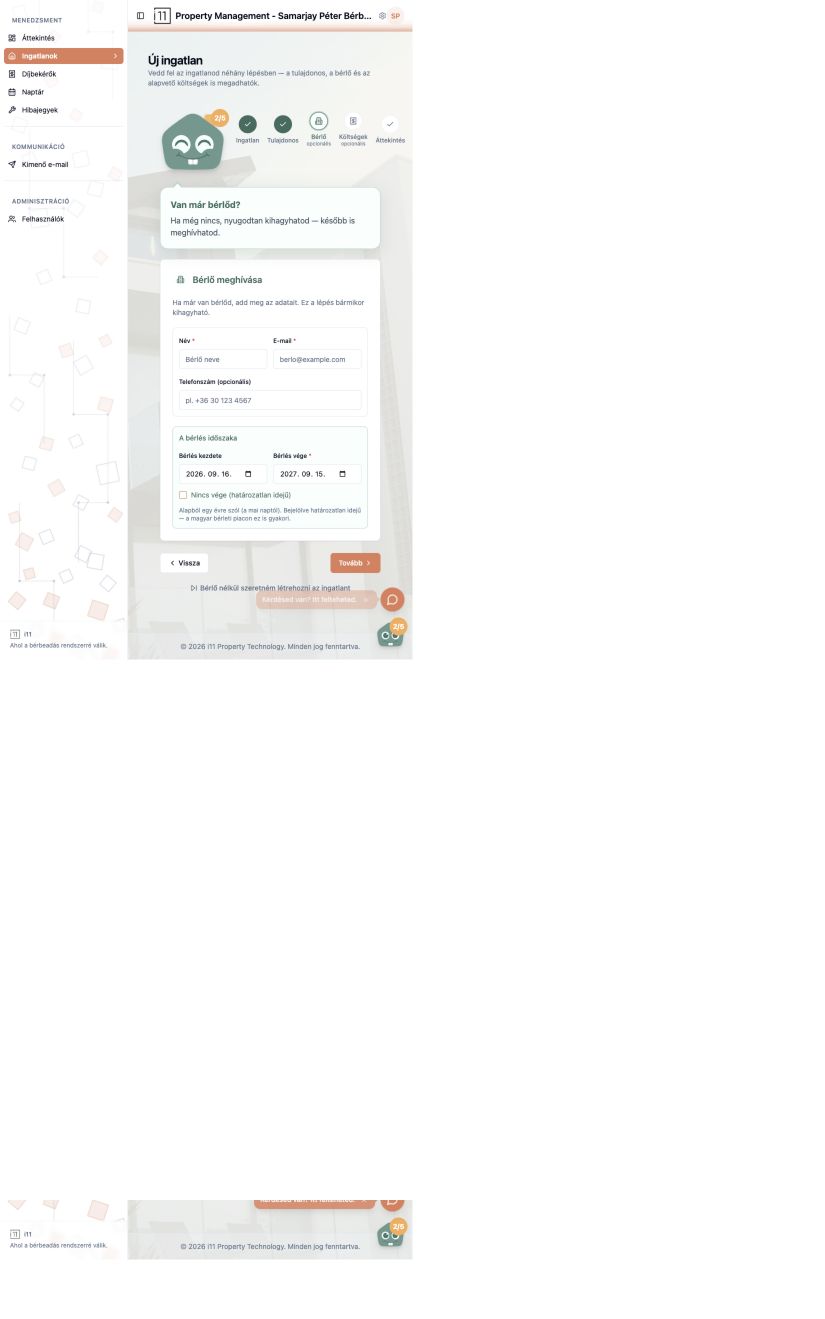
If you already have a tenant, enter their name, email and optional phone, plus the lease start and end. Tick Nincs vége for an open-ended lease. Without a tenant, choose Bérlő nélkül szeretném létrehozni az ingatlant.
4. Review and create
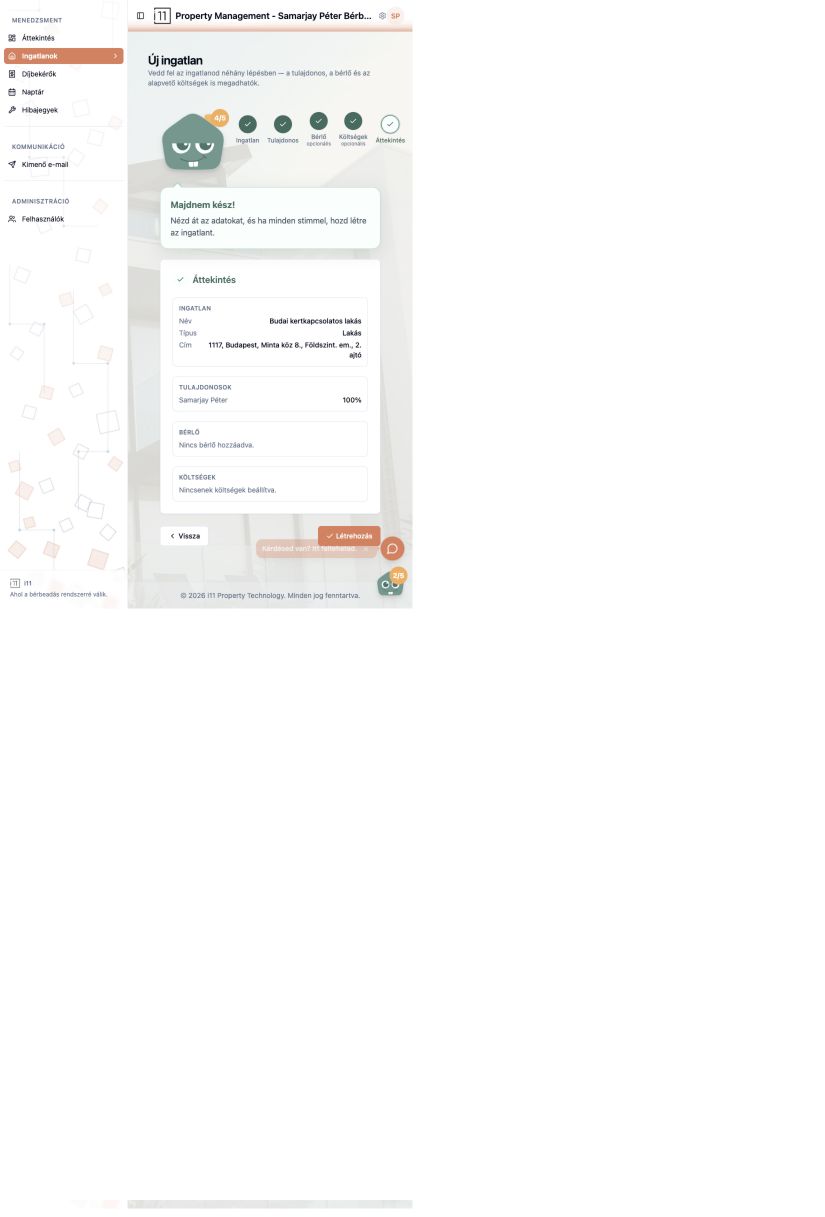
Check the summary of property, owners, tenant and costs, then press Létrehozás (Create). After the congratulations window you land on the property page.
Ask about this article
Still have a question? Send it to us and we will receive it together with the article reference.
Start using RentalSys for free
Put the guide into practice with your own property.
- No credit card required
- Free tier included
- 3-minute setup