'%3e%3cpath%20fill='%23FD7419'%20d='M650%20442%20L868%20526%20H1180%20V970%20H650%20Z'/%3e%3cpath%20fill='%23C86020'%20d='M981%20716%20L1180%20774%20V970%20H650%20V784%20H908%20C954%20784%20990%20768%20990%20738%20C990%20729%20987%20722%20981%20716%20Z'/%3e%3cpath%20fill='%23FCB58D'%20d='M650%20700%20H908%20V970%20H650%20Z'/%3e%3c/g%3e%3c/svg%3e)
Meters & utilities · 4 min
Utility items and automatic settlement
Recurring utilities, reading-based costs and adding them to requests.
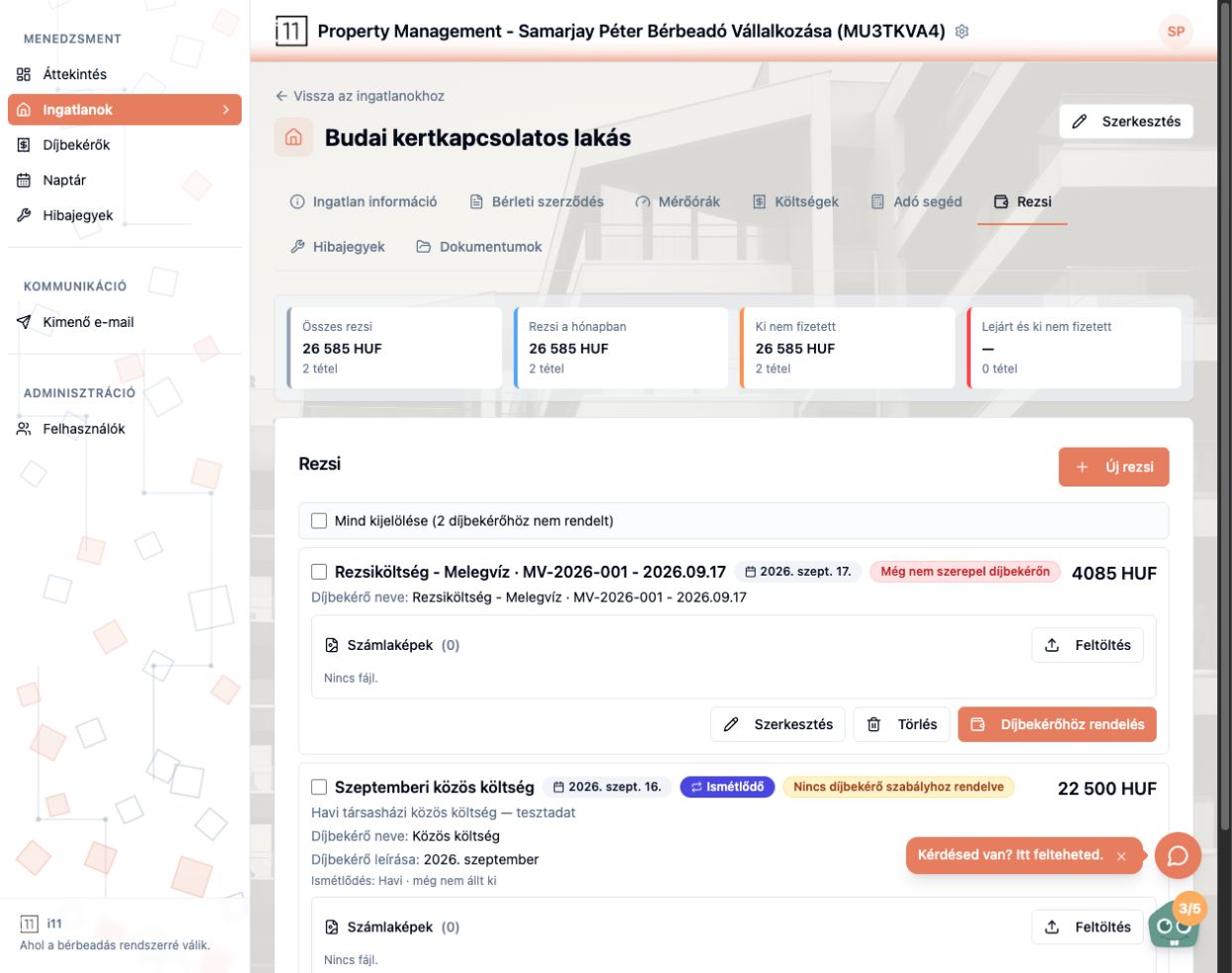
The property's Rezsi (Utilities) tab shows total utilities, this month's utilities, unpaid and overdue items.
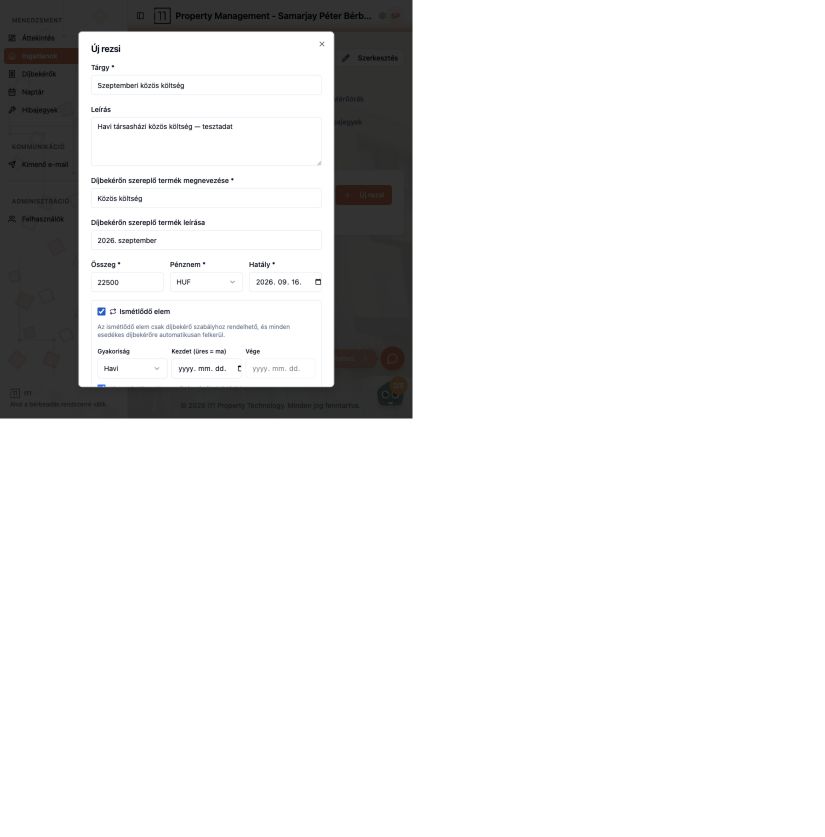
New utility item
Use Új rezsi to enter subject, description, the name and description shown on the payment request, amount, currency and effective date. Tick Ismétlődő elem (Recurring) to set frequency, start and end; recurring items can only be linked to a payment rule and are added to each due request automatically.
Utilities from readings
With automatic settlement on, every reading becomes a utility cost (e.g. “Utility – Hot water – 2026.09.17”). If it's off, a notice on the Meters tab says you must convert them manually; turn it on any time with Automatikus rezsi elszámolás bekapcsolása.
Labels
- Még nem szerepel díjbekérőn (Not yet on a request): add it with Díjbekérőhöz rendelés.
- Nincs díjbekérő szabályhoz rendelve (Not linked to a rule): a recurring item that still needs a rule.
- Upload the provider's bill under Számlaképek (Bill images).
Ask about this article
Still have a question? Send it to us and we will receive it together with the article reference.
Start using RentalSys for free
Put the guide into practice with your own property.
- No credit card required
- Free tier included
- 3-minute setup