'%3e%3cpath%20fill='%23FD7419'%20d='M650%20442%20L868%20526%20H1180%20V970%20H650%20Z'/%3e%3cpath%20fill='%23C86020'%20d='M981%20716%20L1180%20774%20V970%20H650%20V784%20H908%20C954%20784%20990%20768%20990%20738%20C990%20729%20987%20722%20981%20716%20Z'/%3e%3cpath%20fill='%23FCB58D'%20d='M650%20700%20H908%20V970%20H650%20Z'/%3e%3c/g%3e%3c/svg%3e)
Managers · 6 min
From Issued Payment Request to Confirmed Payment: Where Can the Process Break Down?
Learn how to verify payment request details, dispatch, bank transfers, and payment confirmations before starting follow-up conversations with tenants.

"I’ve already transferred it," writes the tenant, while the monthly item still appears as unsettled in your records. In such moments, it is tempting to fire off an immediate reply, yet it is better first to check whether you are discussing the same period, whether the transaction can be identified, and whether it has actually been recorded. A mismatch in status can stem from several distinct causes, and each requires a different next step.
Billing runs smoothly when you clearly distinguish between creation, dispatch, actual payment, and confirmation. These are interlinked yet separate events. The goal is to be able to tell at any given point what has already occurred, what is still missing, and which data point determines your next move. This also keeps communication with the tenant strictly objective.
The Process Begins with Accurate Master Data
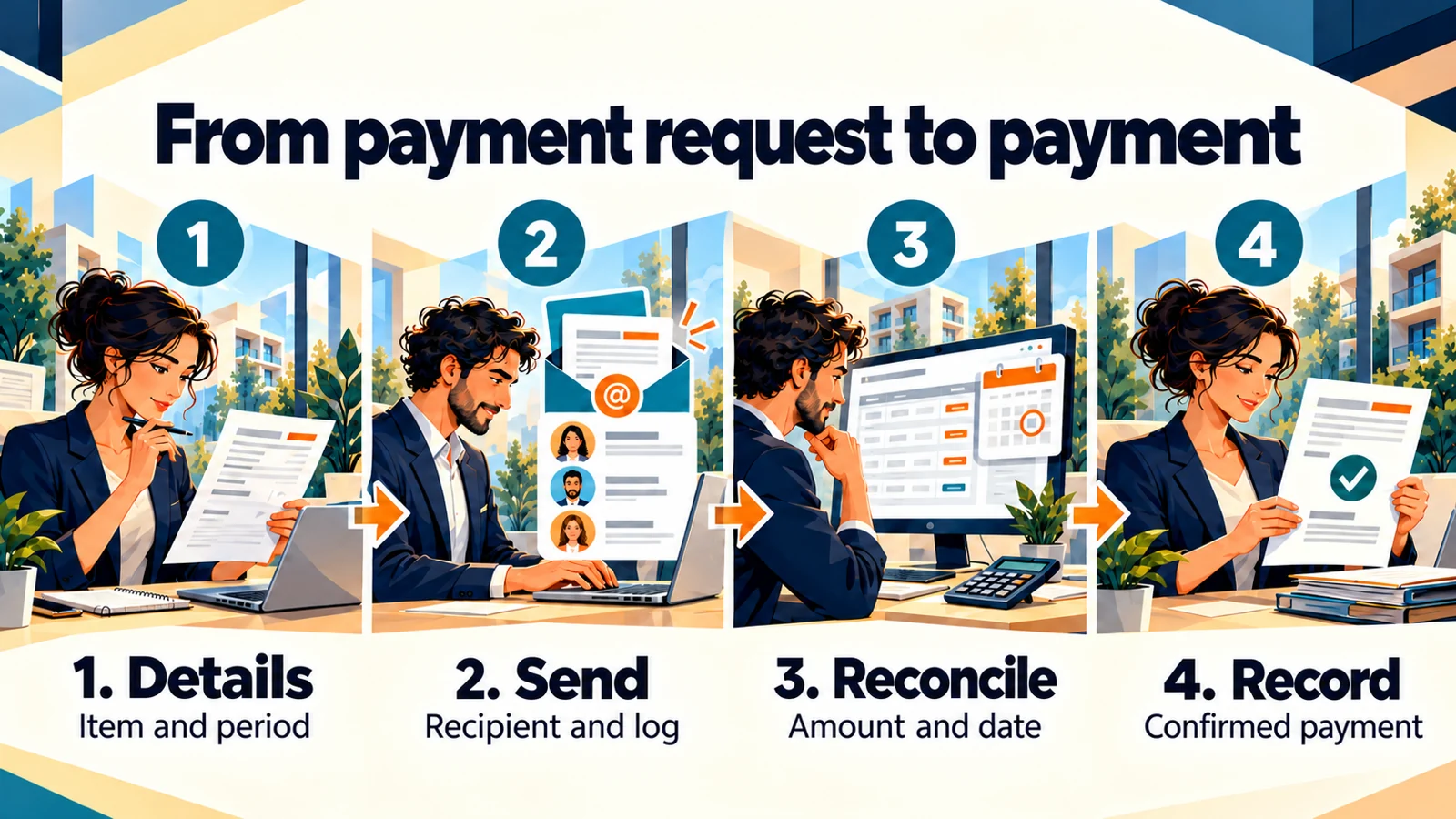
Before checking the payment status, review the basis of the charge. Which property and contractual period does it belong to? Who is the payer and who is the recipient? What line items are included? Are the bank details and due date correct? If there is an error at this level, checking subsequent steps alone will not resolve the issue.
It is particularly worth reviewing the details during the first month of a tenancy, after a change of tenant, or following an updated agreement. An outdated date or contact left over from previous settings can easily derail administration. Therefore, always verify the foundations of any recurring process after significant changes.
The item description can also assist identification. Both the tenant and the property manager need to see clearly which period and what costs are included in the document. If the description is too generic, any future reconciliation will require far more queries. Clarity right from creation reduces the time spent searching later.
Verify Dispatch in the Right Place
Generating a document and dispatching it to the recipient are two distinct checkpoints. RentalSys’s outgoing email log can be filtered by recipient, sender, subject, and content. In the details, you can review the dispatch timestamp, the linked property and item, as well as the email body itself. These details help determine exactly which notification is being discussed.
If the tenant cannot find the email, check the recipient address and the dispatch time first. Ensure that their active email address is on file, and verify that you are looking for the message linked to the item in question. Targeted communication can follow. Rather than replying with a vague "we definitely sent it", it is far more helpful to provide a specific date and subject line to aid their search.
Treat open or click indicators in the log appropriately as well. Confirming a financial settlement requires data on the actual payment itself. Email engagement is simply one piece of communication data; the payment status must be assessed separately.
Identify the Actual Payment
The next step is verifying the incoming funds against your available financial records. Review the amount, the date, and any identifying details. The payment reference may differ, multiple items might have been settled together, or the tenant could be referring to a previous period. In such cases, targeted data reconciliation is required.
Never mark an item as settled simply because the tenant stated they transferred the funds. Equally, do not assume payment was missed merely because the item remains open in the records. The correct sequence is identification, reconciliation, and verified recording. This prevents the same transaction from becoming two completely different stories in the minds of the two parties.
If the amount or the period does not match, inspect the full breakdown of line items. The rent itself may have been settled, but an agreed utility charge or fee might remain outstanding. Formulate any discrepancy specifically, rather than leaving it unresolved with a generic note of "shortfall". An exact description ensures that discussions focus squarely on the real issue.
Record the Confirmation
Within the documented RentalSys workflow, payment confirmation is available under the payment request actions. During this process, you must specify the payment date and verify the details relating to the amount. Once confirmed, the paid sum also updates the Overview chart. Accurate entry is therefore essential for maintaining a reliable operational picture later on.
It is advisable to designate who handles this task and how frequently. In multi-user teams, it is easy to fall into the trap where everyone assumes someone else has already recorded it. Clear responsibility paired with regular checks delivers dependable records. Duplicate entries and missed confirmations cause equal disruption.
If the payment details are ambiguous, clarify them first. Enter data into the system only when supported by available evidence. Any open query should have its own note and a defined next step. That way, during a future review, it remains clear why the item was not closed off immediately.
Three Discrepancies, Three Distinct Solutions
In one illustrative scenario, the tenant paid on time, but the property manager had not yet recorded the receipt. Here, the required action is verified confirmation and updating the records. Rather than sending a payment reminder, send a brief acknowledgement confirming that the funds have been identified. The takeaway is to refine the payment recording routine.
In another scenario, the email was sent to an outdated contact address. Here, contact details must be updated first and the correct information provided. The payment status can only be interpreted fairly once contact details and dispatch logs have been verified. The lesson here is that contact data hygiene is an integral part of the financial process.
In a third scenario, the incoming amount spans multiple periods, but the payment reference does not explain the allocation. Here, targeted clarification with the tenant resolves the issue. Final entry should reflect the clarified breakdown. All three examples are hypothetical, yet they illustrate why finding the root cause of a discrepancy is essential before sending further messages.
Objective Messages, Fewer Rounds of Clarification
A reconciliation message should state the period involved, the specific line item in question, and the single piece of information you require. For example: "We are reconciling payment for the June payment request. Could you please provide the transfer date and payment reference so we can match it accurately?" This sets a clear task without presupposing an error on either side.
Once the payment has been identified, confirm the closure: "Thank you for the details; the payment has been matched and recorded." If any discrepancy remains, specify it precisely. A conversation remains easy to follow when every new message links directly to the previous query and outlines the next step clearly.
How to Hand Over an Unresolved Case
If another team member takes over the reconciliation, provide a brief summary of what has already been verified. Include the relevant payment request, the period, the amount in question, the feedback received, and the missing information. This prevents your colleague from asking for the same details again or starting a parallel conversation with the tenant.
For example: "Recipient and dispatch verified; tenant reported transferring on Tuesday; awaiting payment reference for matching." This is far more useful than an unhelpful note saying "payment unpaid". Assign a follow-up review date to the case so that waiting does not become an open-ended delay. When the missing information arrives, record the outcome and case closure within that same note. Financial reconciliation then remains a continuous, coherent story across cover arrangements or divided responsibilities, allowing everyone to work from the same verified baseline.
Weekly Routines and Monthly Audits
To maintain organised financial administration, establish a repeatable review checklist: payment request details, dispatch, actual payment, confirmation, and discrepancies. Adjust the frequency to your portfolio size and transaction volume. At the monthly close, review whether any open items remain without an assigned owner or deadline.
Your checklist can be as straightforward as five questions: Are the details correct? Has the recipient received the necessary information? Have the funds been identified? Has payment been recorded? Do any discrepancies remain to be resolved? Follow this sequence during your next financial review. A reliable system status is built on having the right information at every step of the process.
Related how-to guides
Related articles
Ask about this article
Still have a question? Send it to us and we will receive it together with the article reference.
Start using RentalSys for free
Put the article into practice with your own property.
- No credit card required
- Free tier included
- 3-minute setup