'%3e%3cpath%20fill='%23FD7419'%20d='M650%20442%20L868%20526%20H1180%20V970%20H650%20Z'/%3e%3cpath%20fill='%23C86020'%20d='M981%20716%20L1180%20774%20V970%20H650%20V784%20H908%20C954%20784%20990%20768%20990%20738%20C990%20729%20987%20722%20981%20716%20Z'/%3e%3cpath%20fill='%23FCB58D'%20d='M650%20700%20H908%20V970%20H650%20Z'/%3e%3c/g%3e%3c/svg%3e)
Managers · 6 min
From Spreadsheets to Organised Property Records: How to Transition While Running Operations
Moving from spreadsheets to shared property records: data audits, cleaning, piloting with one property, and a controlled launch.

The spreadsheet still works. You know which row holds the rent, and your personal abbreviations make sense to you. However, contracts sit in a separate folder, meter readings arrive via instant messages, and maintenance details emerge from phone calls. When multiple pieces of information need linking, searching takes longer than the task itself. That is when it is time to plan your transition to a shared property management system.
The success of the switch depends on how accurate your data is and how clearly you establish your working practices. A new interface on its own will not resolve historical discrepancies. If the same tenant has two different email addresses recorded, or the period for an expense is unclear, that needs clarifying first. The following process will help you do this in verifiable steps, without interrupting your day-to-day operations.
Audit Your Current Operations and Data
First, map out what data you store and where. You can group these into core property details, contacts, tenancy terms, payment information, meter readings, expenses, and documents. The inventory should also note who updates each source. Where multiple team members are involved, you may easily find that parallel records exist for the very same matter.
Do not look only at spreadsheets. Emails, photos on mobile phones, and paper files can also contain information essential for daily operations. The aim is to see the complete picture and identify which source you will use to verify records. An older spreadsheet does not necessarily hold the most up-to-date information, even if it is the one you open most often.
Keep the inventory concise and actionable. For example: "Tenancy period – signed document – verified by property manager"; "Meter reading – date-stamped photo – verified by site manager". This immediately defines the next step and helps distribute the workload.
Clear Up Gaps and Discrepancies
Before migrating, look for duplicates and uncertain records. Is the same property listed under multiple names? Does one contact have two conflicting sets of contact details? Does the tenancy start date differ between the spreadsheet and the signed agreement? Flag these separately and resolve them using the authoritative source. Never fill gaps with guesswork.
A three-status working list can be very helpful: verified, needs clarification, missing. Verified data can be entered straight away; items needing clarification get an open question and an owner; and for missing details, specify where they will be sourced. This keeps the migration moving forward even if a few items are pending. You do not need every property to be at the exact same stage simultaneously.
This is also the right time to standardise naming conventions. Choose a consistent format for identifying properties, documents, and expenses. The objective is for other team members to understand the content instantly. Personal abbreviations quickly become bottlenecks in a shared system, whereas clear, self-explanatory names require far less explanation in the long run.
Decide What Stays Active and What Belongs in the Archive
Not every piece of historical data needs entering into the daily operational workflow with the same level of detail. Current tenancies, open maintenance issues, recent meter readings, and recurring items take priority. For older, closed files, consider how they can remain accessible in an orderly way. Formally define where the archive is kept and how it is organised.
This decision should never involve arbitrary deletion or losing historical records. Preserve past materials in line with your record-keeping policies, ensuring nothing is lost during the transition. However, distinguishing between live operational records and archival history ensures that the information needed for daily tasks remains easy to find.
For instance, an apartment may have documents spanning several previous tenancies, but only the active agreement has open tasks. When launching your new workflow, a detailed review of the active tenancy is paramount. Previous documents can simply be filed with clear dates and names. In this way, history is preserved while present operations remain crystal clear.
Start with a Single Property
Pick one unit as a pilot—one whose details you know inside out and which has few unresolved issues. Set up the basic property details, associated contacts, and current tenancy terms. The RentalSys knowledge base covers setting up your first property step by step, and provides guidance on recording existing tenancy agreements.
During the trial, do not just check whether the data is visible. Test how you actually use it in routine tasks: can you locate the right document, is the contact clear, are the financial settings correct, and can you track an open issue? The true value of the transition lies in its day-to-day usability.
After the pilot, draft a brief snagging list for your process. What was missing from the initial data pack? Which label proved ambiguous? What checks had to be carried out after the fact? Use these insights to refine the checklist for subsequent properties. That way, each new unit requires less improvisation.
Set a Shared Go-Live Date
Running parallel records is only manageable if it is clear how long it will last and what purpose it serves. Set a firm cut-off date from which all new events must be recorded in the new system. Also define where historical, still-open issues will be handled. This prevents one person from updating the old spreadsheet while another works from the new platform.
Before the go-live date, reconcile baseline records and open items. Assign someone responsible for this review. If you manage multiple properties, work through them in manageable batches to keep the audit manageable. Pace the transition according to the quality of your data and available time, rather than chasing an arbitrary deadline at all costs.
Inform tenants and team members about changes that affect them. There is no need to explain everything—focus on what impacts their routine: where to access documents, how notifications will arrive, and whom to contact with queries. An onboarding succeeds when every stakeholder knows their next step.
A Sample Two-Week Implementation Schedule
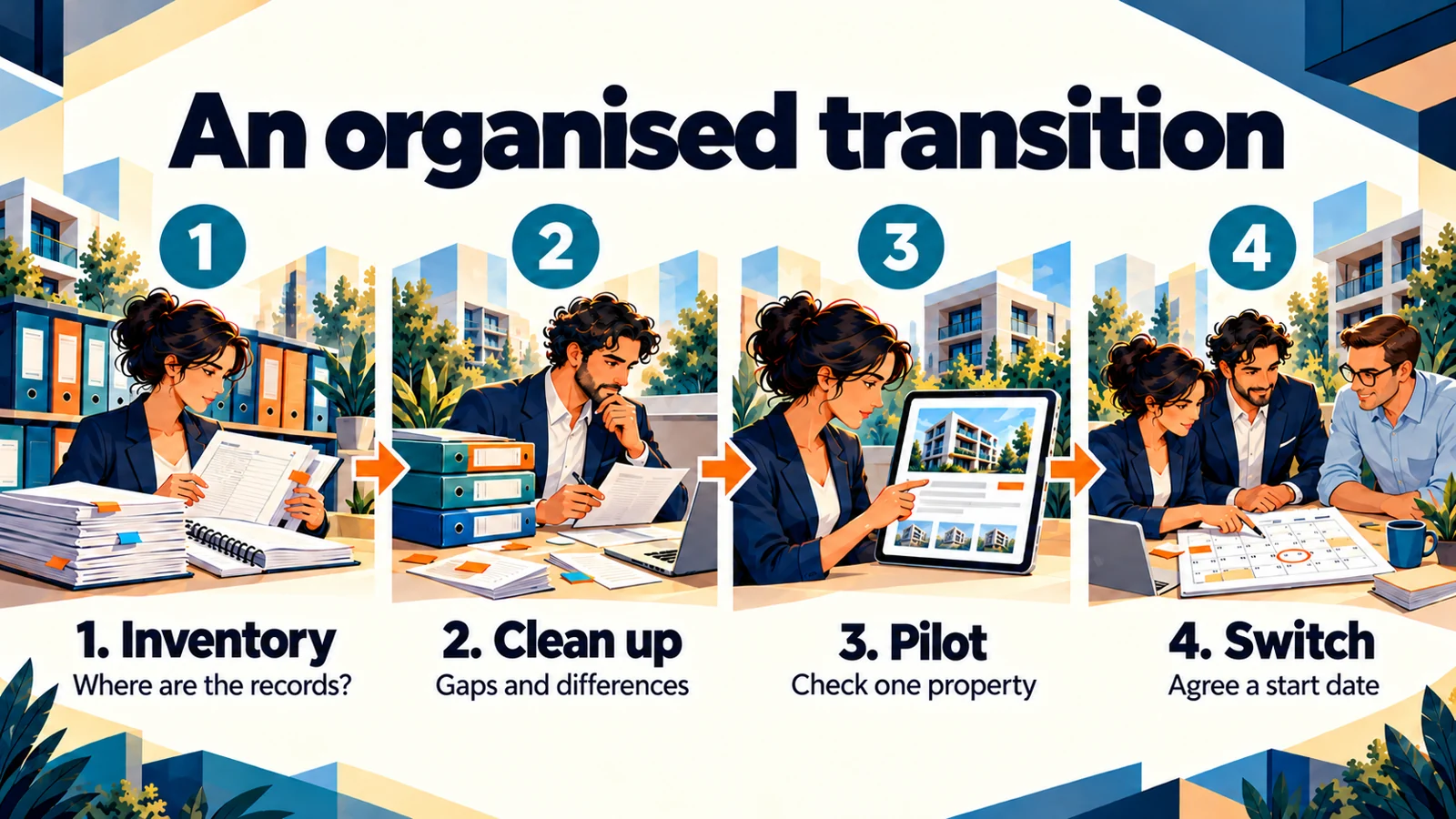
The first few days can be spent auditing data and identifying authoritative sources. Next comes resolving discrepancies, standardising naming conventions, and setting up the first pilot property. At the end of week one, review your findings from the pilot and refine your checklist. This is an illustrative timeline that should be adapted to the volume of your portfolio.
During the second week, you can onboard the remaining properties in small batches. Reconcile each batch against the original sources before switching fully to the new operational routine on your chosen cut-off date. At the end of the week, check for any missed entries or duplicate records. You can also fine-tune task responsibilities based on early feedback.
Handling New Events During the Transition
Day-to-day operations do not pause while data is being reorganised. Rent payments may arrive, new maintenance tickets may be logged, or documents received while a property setup is still in progress. Agree in advance where these will be logged during the interim period, and assign ownership to ensure they are not overlooked during final verification. Clear accountability and a common go-live date are vital.
A simple interim log can record the property, date, event, and processing status. Once an entry is transferred into the main system, mark it as verified on the log. Close this log once the transition is complete so it does not turn into yet another permanent parallel system. If an inconsistency emerges during verification, check original sources before making changes. Rushing to copy unverified data can cause far more work later than taking a moment to clarify it during setup.
Final Transition Checklist
Before going live, ask yourself the following: Are all active properties and contacts accounted for? Have tenancy details been verified? Are all necessary documents in place? Can open issues be tracked? Is it clear who records new events? Are historical archives neatly structured? If any answer is uncertain, identify the missing action.
RentalSys guides provide step-by-step assistance with system configuration. Even so, any transition plan comes down to organising your own records and establishing shared working practices. Start with a single property, verify the entire workflow, and roll it out based on what you learn. A thoroughly prepared launch will save time on every future search and routine query.

Related how-to guides
Related articles
Ask about this article
Still have a question? Send it to us and we will receive it together with the article reference.
Start using RentalSys for free
Put the article into practice with your own property.
- No credit card required
- Free tier included
- 3-minute setup